
If you are a YouTube creator, you know the struggle: you hire an editor from a general freelance site, and they send you a corporate-style video that kills your retention. If you are a video editor, you know the pain of clients who want “MrBeast style” editing for $10.
Enter YTJobs.co.
Often dubbed the “LinkedIn of the Creator Economy,” this platform promises to bridge the gap between high-level creators and specialized talent. But is it worth the hype? Is it actually better than Upwork or Fiverr? And most importantly, is it worth your time and money?
In this detailed review, we will break down everything you need to know about YTJobs.co—from its unique verification features and pricing models to its pros, cons, and hidden quirks.
What is YTJobs.co?
YTJobs.co is a niche job board and portfolio platform specifically designed for the YouTube ecosystem. Unlike broad freelance marketplaces that cater to everyone from accountants to zookeepers, YTJobs focuses strictly on one industry: YouTube content creation.
YouTube strategist Paddy Galloway, who has collaborated with MrBeast, Sidemen, and other industry giants, co-founded the platform to address a specific challenge: General freelancers often don’t understand YouTube culture, retention, or pacing.
The site connects employers (YouTubers, agencies, and media companies) with talent (editors, thumbnail designers, scriptwriters, channel managers, and strategists).
The “Secret Sauce”: Data Integration
What makes YTJobs unique is its deep integration with the YouTube API. When a freelancer claims they edited a video that got 10 million views, YTJobs doesn’t just take their word for it. The platform has a verification system (more on the subject later) that links specific videos to a talent’s profile, pulling in real-time stats like view counts and likes.
For Talent: How It Works
If you are a creative professional looking for work, YTJobs offers a very different experience compared to traditional sites.
1. The Portfolio First Approach
On Upwork, your profile is a resume. On YTJobs, your profile is a visual portfolio. When you sign up, you categorize yourself into one of their core roles:
- Video Editor
- Thumbnail Designer
- Creative Director
- YouTube Strategist
- Channel Manager
- Scriptwriter
- YouTube Producer
Your profile front-loads your work. You don’t just list “Adobe Premiere” as a skill; you embed the actual YouTube videos you’ve worked on. The system pulls the thumbnail and view count, instantly showing potential clients the impact of your work, not just your output.
2. The Verification System (The Badges)
This is the platform’s most powerful feature for talent. YTJobs uses a “Badge” system to verify the level of creators you have worked with. The badge acts as immediate social proof.
- Red Diamond Badge: Verified work for a channel with 100M+ subscribers.
- Diamond Badge: Verified work for a channel with 10M+ subscribers.
- Gold Badge: Verified work for a channel with 1M+ subscribers.
- Silver Badge: Verified work for a channel with 100K+ subscribers.
- Pearl Badge: Verified work for smaller channels.
How does it work? You send a verification link to your client. Once your client clicks the verification link and confirms, “Yes, John edited this video,” your portfolio locks that video with a “Verified” tick. This eliminates the common problem of fake portfolios found on other sites.
3. The Barrier to Entry
Here is the catch: YTJobs is not beginner-friendly. To apply for most jobs, the platform historically requires you to have at least 6 videos in your portfolio. This serves as a quality control measure to prevent individuals who have never used editing software from inundating creators. If you are a novice with no prior experience, you must first establish your portfolio elsewhere.
For Creators (Employers): How It Works
For YouTubers, YTJobs acts as a filter. You aren’t just paying for a job post; you are paying to avoid the “spam” applicants common on free job boards.
1. Posting a Job
When you post a job, you can get incredibly granular. You don’t just ask for a “video editor”; you can specify:
- Style: documentary, gaming, vlog, talking head, and cash cow.
- Software: Premiere Pro, DaVinci Resolve, and After Effects.
- Language & Time Zone.
Because the talent pool is niche, applicants usually “speak the language” of YouTube. They understand what a “hook” is and why “retention” matters.
2. Discover & Hire (Headhunting)
Instead of waiting for applicants, you can use the “Discover & Hire” feature. This directory is a searchable database of all talent on the site. You can filter by:
- Total views generated (e.g., “Show me editors whose videos have 50M+ views”).
- Badges (e.g., “Only show me designers who have worked with 1M+ subchannels”).
- Keywords (e.g., “Minecraft,” “Finance,” “MrBeast Style”).
3. The Applicant Tracking System (ATS) The dashboard for managing applicants is clean and visual. You can sort applicants by their “Best Badge” or “Total Views,” allowing you to prioritize high-leverage candidates instantly.

Pricing: The Cost of Quality
This is often the sticking point for users. YTJobs positions itself as a premium service.
For Talent (Freelancers)
- Basic Account: Free. You can create a profile, build your portfolio, and apply to public job postings.
- Commissions: 0%. Unlike Upwork (10%) or Fiverr (20%), YTJobs takes 0% of your earnings. The platform is purely an introduction service. You handle billing and contracts directly with the client off-platform.
For Creators (Employers)
Pricing for employers has fluctuated, but it generally leans towards the “premium” end to discourage low-quality posts.
- Single Job Post: Historically priced around $149 per post (active for 30 days). This is significantly higher than general job boards, which are often free or $20-50.
- Recruiter Package: A subscription model (often quarterly) that includes multiple job posts (e.g., 3 posts) and unlimited access to the “Discover & Hire” database.
- Why so expensive? The high fee is a feature, not a bug. It acts as a gatekeeper. If a creator is willing to pay ~$150 just to post a job, they are likely serious, have a budget, and aren’t looking to exploit freelancers for $5/video.
Pros and cons:
To give a balanced review, we need to look at where YTJobs shines and where it falls short.
The Pros
- Zero Platform Fees for Talent: Keeping 100% of your paycheck is a massive advantage over Upwork/Fiverr.
- Higher Quality Clients: The entry fee for creators filters out the “I have 5 subs; edit my video for free” crowd. Most clients here are established channels or funded businesses.
- Niche-Specific Talent: You don’t have to explain to a YTJobs editor what a “jump cut” or “B-roll” is. They get it.
- Verification = Trust: The badge system is the best in the industry for verifying claims. If someone says they worked for a 10M sub channel, the badge proves it.
- Direct Communication: Once you connect, you move off-platform. No awkward “we detected you shared an email address” warnings like on Fiverr.
The Cons
- No Escrow/Payment Protection: Because payments happen off-platform (via PayPal, Wise, etc.), there is no safety net. If a client ghosts you after you deliver the work, YTJobs cannot help you get your money. You must use contracts.
- High Competition for “Good” Jobs: Because it’s the “place to be,” every job post for a major creator gets hundreds of applications.
- Expensive for Small Creators: If you are a small channel just starting to outsource, paying $149 to post a job might be out of your budget.
- Portfolio Barrier: New editors with outstanding skills but no live links cannot easily apply for jobs.
YT Jobs Beginner’s Tutorial
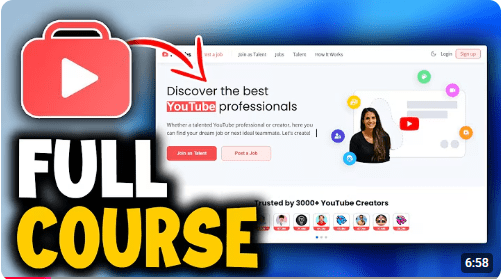
For a better understanding of YT Jobs, check out the video titled “How To Use & Apply On YT Jobs | Beginner’s Tutorial | Step By Step Guide.” This video, created by SortnSolve, is a beginner-friendly tutorial that explains how to sign up, set up your profile, and apply for jobs on YT Jobs. It provides a clear, step-by-step guide to help newcomers quickly grasp the platform and start finding freelance or remote opportunities.
Is YTJobs Legit?
Yes, absolutely.
Some of the biggest names in the industry utilize the platform extensively. You will frequently see job postings from teams associated with MrBeast, Ali Abdaal, Noah Kagan, and large media agencies.
However, “legit” doesn’t mean “risk-free.”
Because YTJobs is just a connector, scams can happen.
- Talent Warning: Never do “free test edits” that are actually full videos. A 30-second watermarked sample is standard; a full 10-minute video for free is a scam.
- Creator Warning: Even with badges, always interview your candidates. A badge means they worked with a big creator once; it doesn’t guarantee they were the lead editor.
Conclusion: Who Should Use YTJobs?
For Creators
If you treat your YouTube channel as a business and are budgeted for hiring, YTJobs is the best investment you can make. The time you save filtering through unqualified candidates on other platforms is worth the posting fee alone. You are fishing in a pond stocked exclusively with the fish you want.
For Freelancers
If you want to make a career specifically in the YouTube space, you need a profile here. It is the industry-standard portfolio site. Even if you don’t find work on the site immediately, having a verified YTJobs profile link to send to cold leads on Twitter or Instagram is incredibly powerful social proof.

 Start Your Online Jobs
Leave a comment