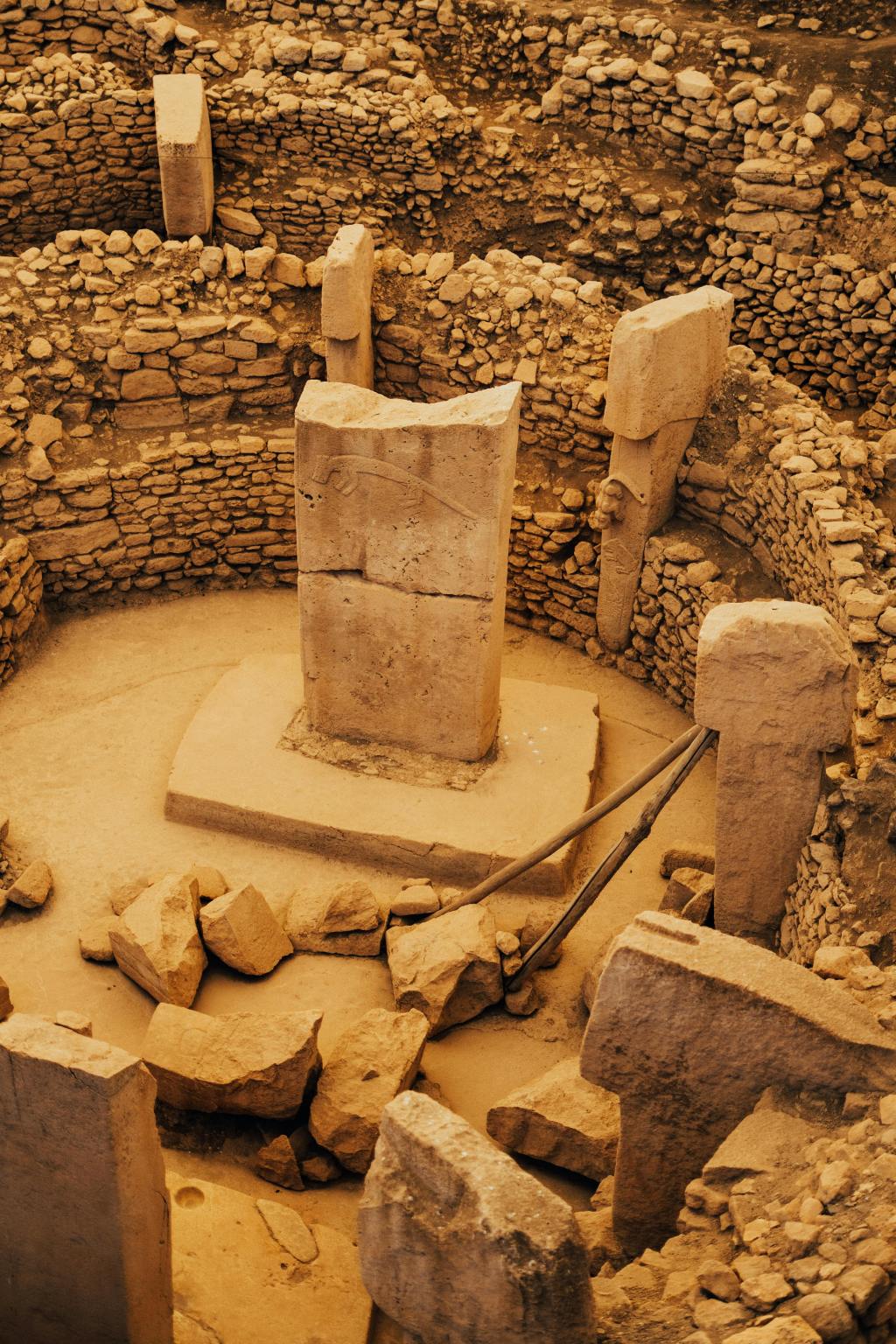

Introduction: The Rise of Faceless Educational YouTube Channels
In 2025, YouTube stands as the world’s largest video platform and a global classroom for millions of self-directed learners. Yet, not every aspiring educator or storyteller is comfortable stepping in front of the camera. Enter the faceless YouTube channel—a format that leverages narration, visuals, and AI tools to deliver compelling content without ever revealing the creator’s identity. Channels like Hominid History Hub have demonstrated that you can build a thriving, authoritative, and profitable educational brand in niches like human evolution and anthropology, all while remaining behind the scenes.
This comprehensive guide will walk you through every step of launching your own faceless educational channel, tailored specifically for science and history topics such as human evolution, anthropology, and prehistoric life. Drawing on the latest strategies, AI-powered tools, and best practices from leading creators and industry experts, you’ll learn how to select your niche, research and script content, generate AI voiceovers, edit videos, source visuals, brand your channel, optimize for YouTube SEO, engage your audience, and monetize your efforts—all without ever appearing on camera
Why Faceless Channels Work—Especially for Science and History
Faceless channels have exploded in popularity for several reasons:
- Privacy and Anonymity: Creators can share knowledge and build authority without exposing their identity, which is ideal for those who value privacy or are camera-shy.
- Lower Production Costs: No need for expensive cameras, lighting, or studio setups. Most production can be handled with a laptop and affordable software.
- Scalability and Automation: AI tools streamline scripting, narration, editing, and publishing, enabling creators to produce more content in less time.
- Wider Audience Appeal: Educational content focused on topics, not personalities, attracts viewers interested in learning, not just entertainment.
- Evergreen Value: Science and history topics, especially human evolution and anthropology, are perennially relevant and attract consistent search traffic.
Channels like Hominid History Hub, The Infographics Show, and others have proven that faceless formats can achieve millions of views, high engagement, and strong monetization in the educational niche.
Step 1: Niche Selection—Finding Your Unique Angle in Science and History
Why Niche Matters
YouTube’s algorithm and audience both reward channels with a clear, focused niche. For educational creators, this means drilling down beyond broad topics like “history” or “science” to specific, layered subject areas. For example, Hominid History Hub focuses on human evolution, ancient hominids, and prehistoric life—a sub-niche that combines anthropology, paleontology, and natural history.
How to Choose Your Niche
- Passion and Expertise: Pick a subject you genuinely enjoy researching and explaining. Sustained interest is crucial for long-term consistency.
- Evergreen Demand: Use tools like Google Trends, TubeBuddy, and VidIQ to validate that your chosen topic has steady search interest and isn’t just a fleeting trend.
- Monetization Potential: Some niches (e.g., finance, tech, and education) have higher CPMs, but science and history also attract sponsorships, affiliate opportunities, and digital product sales.
- Content Depth: Ensure your niche offers enough depth for dozens of videos. Human evolution, for example, allows for deep dives into species, discoveries, theories, and controversies.
- Audience Clarity: Define your target viewer—are you teaching high school students, college learners, or general enthusiasts? Tailor your tone and complexity accordingly.
Pro Tip: Study successful channels in your niche to identify gaps or underserved topics. For example, if most anthropology channels focus on ancient civilizations, you might specialize in the genetics of human evolution or the latest fossil discoveries.
Step 2: Content Research—Building Authority and Accuracy
The Importance of Rigorous Research
Educational credibility is paramount. In science and history, misinformation can quickly erode trust and damage your channel’s reputation. Rigorous research ensures your videos are accurate, up-to-date, and valuable to your audience.
Research Workflow for Science and History Topics
- Start with Reputable Sources: Use academic journals, university publications, museum websites, and authoritative books. We recommend consulting reputable sources like Oxford Academic, Smithsonian, and Nature for information on human evolution.
- Leverage AI Tools for Summarization: Tools like ChatGPT can help summarize dense academic material, but always cross-check AI outputs with primary sources for accuracy.
- Fact-Check Claims: Use AI fact-checking agents or manual cross-referencing with fact-checking sites (e.g., Snopes, FactCheck.org) to verify controversial or surprising statements.
- Organize Notes in a Research Database: Use Notion, Google Sheets, or dedicated research tools to catalog sources, quotes, and key findings for each video.
- Stay Current: Science and history are dynamic fields. Set up alerts for new discoveries or publications in your niche to keep your content fresh and relevant.
Pro Tip: For visuals, seek public domain archives (e.g., CriticalPast, Wikimedia Commons) and reputable stock libraries for historical footage and images.
Step 3: Scriptwriting—Crafting Engaging, Educational Narratives
Why Scripting Matters
A well-structured script is the backbone of any successful faceless video. It ensures clarity, pacing, and retention—especially crucial for educational content, where viewers expect to learn efficiently.
Scriptwriting Best Practices
- Hook the Viewer: Start with a compelling question, fact, or story in the first 10–15 seconds to grab attention.
- State the Value: Clearly explain what the viewer will learn and why it matters.
- Logical Flow: Break down complex topics into digestible segments. Use transitions to guide viewers from one idea to the next.
- Conversational Tone: Write as if you’re explaining to a curious friend—clear, direct, and jargon-free.
- Visual Cues: Include notes for visuals, animations, or on-screen text to reinforce key points.
- Call to Action: End with a single, clear CTA—subscribe, watch another video, or comment with questions.
AI Tools for Scriptwriting
- ChatGPT, Jasper, Copy.ai, and Writesonic generate draft scripts, outlines, or hooks based on your prompts. Always edit for accuracy and personality.
- Prompt Engineering: Provide detailed context—your channel’s style, target audience, and desired tone—to get the best results from AI.
- Script Templates: Use proven structures like “Hook – Content – CTA” or educational frameworks (Problem → Steps → Recap) for consistency.
Pro Tip: Insert time-stamped visual suggestions directly into your script to streamline the editing process later.
Step 4: AI Voiceover—Bringing Your Script to Life
Why AI Voiceovers?
A high-quality voiceover is essential for faceless channels. It provides the human connection that keeps viewers engaged, even when there’s no on-screen host.
Top AI Voiceover Tools
- ElevenLabs: Ultra-realistic voices, voice cloning, and support for over 29 languages. Applications include narration, documentaries, and branding.
- Murf: Offers natural-sounding voices, emotion control, and support for multiple languages. Ideal for eLearning, tutorials, and explainer videos.
- Fliki: Over 2,000 voices, emotion and pitch control, and voice cloning. Quick voiceovers, shorts, and branding.
- MicMonster: Simple interface, support for multiple languages, and quick turnaround for short scripts.
- Microsoft Clipchamp: Free built-in video editor with AI voiceover support, offering natural voices and easy script-to-speech conversion. Applications include YouTube videos, social media content, and quick tutorials.
- Canva: Online design platform with integrated AI voice generator, supporting multiple languages and tones. Applications include presentations, marketing videos, and branded social posts.
ElevenLabs is widely regarded as the gold standard for educational narration, offering deep customization, voice cloning, and studio-quality output.
How to Use AI Voiceover Tools
- Paste Your Script: Upload your finished script to the tool.
- Select Voice and Tone: Choose a voice that matches your content—deep and authoritative for documentaries, friendly and clear for explainers.
- Adjust Emotion and Pacing: Many tools allow you to tweak emotion, speed, and pauses for natural delivery.
- Preview and Edit: Listen to the output, make adjustments, and regenerate as needed.
- Download Audio: Export the final voiceover in MP3 or WAV format for editing.
Pro Tip: For branding, consider cloning your own voice or creating a unique AI persona that becomes the “voice” of your channel.
How to Use FREE AI Voiceovers in Canva (No Extra Software Needed!)
This video created by Learn with Zar guides viewers through Canva’s built-in AI voiceover tool. It demonstrates how content creators, small business owners, and beginners can easily produce professional-sounding narration for their videos. The tutorial highlights speed, simplicity, and accessibility, making it perfect for anyone looking to enhance their video projects with captivating audio.
Step 5: Video Editing—Combining Visuals, Audio, and Story
Choosing the Right Video Editing Platform
Faceless channels benefit from AI-powered and user-friendly editing tools that streamline the process of combining voiceovers, visuals, and effects.
- CapCut: Free, user-friendly, advanced effects for mobile and desktop. Ideal for beginners, shorts, and quick edits.
- Fliki: Converts scripts to videos with automatic media matching and voiceover. Offers end-to-end automation and batch editing.
- Pictory: Transforms scripts into videos using stock footage and captions. Suitable for long-form content, documentaries, and SEO.
- Veed.io: Provides cropping, resizing, annotations, and effects. Great for branding, overlays, and social media videos.
- InVideo: Features over 5,000 templates and AI text-to-video capabilities. Best for short-form and branded content.
- Synthesia: Utilizes AI avatars for talking-head videos. It is ideal for use in explainers and presentations.
Pictory and Fliki are especially popular for educational faceless videos, offering script-to-video automation, stock footage integration, and seamless voiceover syncing.
Editing Workflow
- Import Voiceover: Start by adding your AI-generated narration to the timeline.
- Add Visuals: Layer in stock footage, illustrations, animations, or slides that match your script. Use AI tools to auto-select relevant media or curate your own. (Video illustration for “Add Visuals”)
- On-Screen Text and Graphics: Highlight key terms, dates, or concepts with text overlays and infographics. You can explore an example in Canva here.
- Transitions and Effects: Use smooth transitions, zooms, and subtle effects to maintain visual interest without overwhelming the viewer. Watch this video on the 9 filmmaking “transitions” you need to know for a better understanding.
- Captions and Subtitles: Add accurate captions for accessibility and SEO. Tools like vSubtitle, Descript, or YouTube’s built-in captioning can automate this process. (Video example for how to add captions to any video for free!)
- Background Music and Sound Effects: Use royalty-free tracks from Epidemic Sound, YouTube Audio Library, elevenlabs, or Artlist to add atmosphere without distracting from narration.
- Export and Review: Render your video in the appropriate format (16:9 for long-form, 9:16 for Shorts), review for errors, and make final tweaks.
Pro Tip: Batch-edit multiple videos at once to maximize efficiency and maintain consistency across your channel
Step 6: Sourcing Visuals—Stock Footage, Illustrations, and Animations
Where to Find Visuals for Science and History
- Stock Footage: Pexels, Pixabay, Unsplash, Storyblocks, and CriticalPast offer millions of royalty-free images and videos, including historical and scientific content.
- Public Domain Archives: Wikimedia Commons, the Library of Congress, and NASA provide high-quality, copyright-free visuals for educational use.
- Custom Illustrations: Canva, Adobe Express, and Dreamstime allow you to create or source custom graphics, timelines, and paleoart for topics like human evolution.
- Animations: VideoScribe (whiteboard), Animoto, and Lumen5 enable you to create animated explainers and visualizations without advanced skills.
- AI-Generated Art: Tools like DALL-E or Canva’s Magic Media can generate unique images for prehistoric life, ancient hominids, or conceptual diagrams.
Legal and Ethical Considerations
- Always Check Licenses: Use only visuals with clear Creative Commons (CC0 or CC-BY) or public domain licenses. Avoid random Google Images unless you verify usage rights.
- Attribute When Required: Some CC licenses require attribution—credit the creator in your video description or on-screen.
- Be Transformative: If using copyrighted material under fair use (e.g., for commentary or education), ensure your use is transformative and limited in scope.
Pro Tip: For human evolution, paleoart, and fossil reconstructions, seek out museum archives, academic publications, or commission original artwork for a unique channel identity.
Step 7: Branding—Making Your Channel Stand Out
Why Branding Matters
A strong, consistent brand builds trust, recognition, and loyalty. For faceless channels, branding is conveyed through visuals, voice, and content style rather than personality.
Branding Essentials
- Channel Name: Choose a memorable, descriptive name that reflects your niche (e.g., Hominid History Hub).
- Logo and Banner: Design professional graphics using Canva or Looka. Incorporate relevant imagery (e.g., fossils, timelines, ancient landscapes).
- Thumbnail Templates: Use bold, readable text, high-contrast colors, and consistent layouts for all video thumbnails. Canva and Photopea offer easy-to-use templates.
- Intro/Outro Animations: Create short, branded intros and outros to reinforce your channel identity.
- Voice Identity: Maintain a consistent AI voice or persona across videos for familiarity.
- Color Palette and Fonts: Stick to a cohesive color scheme and font set for all visuals and overlays.
Pro Tip: A/B test different thumbnail designs and branding elements to see what drives higher click-through rates and engagement. Step 7: Branding—Making Your Channel Stand Out

Step 8: Publishing Strategies and YouTube SEO
Optimizing for Discovery
YouTube is both a search engine and a recommendation platform. Optimizing your videos for SEO ensures they reach the right audience and gain traction over time.
YouTube SEO Checklist
- Keyword Research: Use TubeBuddy, VidIQ, and Google Trends to identify high-traffic keywords in your niche.
- Titles: Place primary keywords at the start of your title. Be descriptive and compelling (e.g., “How Homo sapiens Conquered the Ice Age: Human Evolution Explained”).
- Descriptions: Write detailed, keyword-rich descriptions. Summarize the video, include relevant links, and add timestamps for chapters.
- Tags: Use a mix of broad and specific tags to help YouTube categorize your content.
- Thumbnails: Custom, eye-catching thumbnails improve click-through rates and signal quality to the algorithm.
- Captions and Subtitles: Upload accurate captions (SRT files) for accessibility and SEO. Consider multilingual subtitles for global reach.
- Playlists: Group related videos into playlists to increase watch time and session duration.
- End Screens and Cards: Promote related videos and encourage subscriptions with interactive elements.
- Hashtags: Add 3–5 relevant hashtags in the description for additional discoverability.
Publishing Schedule
- Consistency: Upload on a regular schedule (e.g., weekly or biweekly) to build algorithmic trust and audience anticipation.
- Batch Production: Create and schedule multiple videos in advance to maintain consistency and avoid burnout.
- Shorts and Clips: Supplement long-form content with YouTube Shorts or highlight clips to reach new viewers and drive traffic to your main videos.
Pro Tip: Schedule uploads for peak viewing times based on your audience analytics (often evenings or weekends in your target region).


Step 9: Audience Engagement and Community Building
Engaging Without Showing Your Face
Faceless channels can build strong communities by focusing on interaction, value, and authenticity.
Engagement Strategies
- Respond to Comments: Answer questions, thank viewers, and encourage discussion in the comments section.
- Community Tab: Use polls, open-ended questions, and behind-the-scenes posts to foster engagement between uploads.
- Pinned Comments: Highlight key questions, resources, or viewer contributions at the top of each video’s comments.
- Calls to Action: Invite viewers to share their thoughts, suggest future topics, or participate in quizzes and challenges.
- Exclusive Content: Offer members-only videos, early access, or Discord channels for your most dedicated fans.
- Live Streams: Host occasional live Q&As or premieres with chat interaction, even if you remain off-camera.
Pro Tip: Feature viewer questions or comments in future videos to create a feedback loop and deepen community ties.
Step 10: Maintaining Educational Quality and Academic Integrity
Ensuring Accuracy and Trust
- Cite Sources: Reference reputable studies, books, and experts in your video descriptions or on-screen.
- Fact-Check Rigorously: Use AI fact-checkers and manual verification to avoid spreading misinformation.
- Balance Entertainment and Education: Use storytelling, visuals, and pacing to keep content engaging without sacrificing accuracy.
- Update Outdated Content: Refresh older videos with new discoveries or corrections as needed.
- Transparency: Disclose when content is speculative, controversial, or based on emerging research.
Pro Tip: Collaborate with subject-matter experts or educators for guest scripts, interviews, or peer review.

Step 11: Legal and Ethical Considerations
Copyright, Fair Use, and AI Voice Consent
- Visuals: Only use images, footage, and music with clear licenses (CC0, CC-BY, or public domain). Avoid random Google Images unless you verify rights.
- Fair Use: Educational, commentary, and transformative uses may qualify, but always limit the amount used and add new meaning or context.
- AI Voice Consent: If cloning a real person’s voice, obtain explicit consent. For commercial use, ensure your AI voice provider’s terms allow monetization.
- Disclosures: Clearly disclose sponsored content, affiliate links, or paid promotions to comply with YouTube and FTC guidelines.
- Accessibility: Add captions and transcripts for all videos to meet accessibility standards and expand your audience.
Pro Tip: When in doubt, consult YouTube’s copyright guidelines or seek legal advice for complex cases.
Step 12: Tools for Thumbnails, Captions, and Accessibility
Thumbnails
- Canva: Free and paid templates for bold, eye-catching thumbnails.
- Photopea: Advanced editing for custom designs.
- Remove.bg: Instantly remove backgrounds for clean cutouts.
Captions and Subtitles
- vSubtitle: Fast AI-generated captions with human QA for accuracy and compliance.
- Descript: Edit audio and captions simultaneously.
- YouTube Studio: Built-in captioning and translation tools.
Accessibility
- Multilingual Subtitles: Add translated tracks for global reach.
- Transcripts: Publish cleaned transcripts on your website for SEO and accessibility.
Pro Tip: Accurate captions not only improve accessibility but also boost SEO and watch time.
Step 13: Monetization and Growth Strategies
Monetization Options for Faceless Channels
- AdSense Revenue: Build watch-time and monetize through YouTube ads; history/education niches often earn higher CPMs.
- Affiliate Marketing: Link to anthropology books, documentaries, or courses; place affiliate links in descriptions.
- Sponsorships: Partner with educational platforms (Coursera, Skillshare, Brilliant) or cultural institutions.
- Merchandise: Offer branded posters, timelines, or digital study guides via print-on-demand.
- Memberships/Patreon: Provide exclusive deep-dive videos, research notes, or downloadable packs.
- Licensing Content: Sell animations or clips to schools, museums, or educational apps.
- Courses & E-books: Package structured lessons on human evolution or prehistoric cultures.
Growth Strategies
- Content: Focus on evergreen topics, series formats, and storytelling with visuals.
- SEO: Use keyword-rich titles, bold thumbnails, and consistent upload schedules.
- Community: Encourage comments, polls, and build a newsletter for deeper engagement.
- Cross-Platform: Repurpose shorts for TikTok/Instagram; collaborate with podcasts/blogs.
- Automation: Use AI for scripts, voiceovers, and editing; batch-produce for consistency.
- Analytics: Track retention, test video lengths, and double down on high-performing topics.
Pro Tip: Scale income streams in phases — start with AdSense/affiliates, add sponsorships and memberships at mid-growth, then expand into courses, merchandise, and licensing once established.
Step 14: Case Study—Hominid History Hub
Channel Overview
- Niche: Human evolution, ancient hominids, prehistoric life, anthropology.
- Format: Faceless, documentary-style videos with AI narration, stock visuals, and custom graphics.
- Growth: Over 390,000 subscribers and 91 million views in less than six months (as of November 2025).
- Content: Deep dives into milestones like Australopithecus, Homo habilis, Homo erectus, survival skills, and the mysteries of natural history.
- Branding: Consistent logo, banner, and thumbnail style; authoritative yet accessible narration; strong visual identity.
What Makes It Work
- Focused Niche: Clear, layered subject area with evergreen appeal.
- High-Quality Research: Accurate, up-to-date information from reputable sources.
- Engaging Scripts: Story-driven, logically structured, and visually supported.
- Professional Voiceover: Consistent, natural-sounding AI narration.
- Visual Variety: Stock footage, paleoart, timelines, and animations.
- SEO Optimization: Keyword-rich titles, descriptions, and tags.
- Community Engagement: Active comment responses, polls, and viewer-driven content ideas.
- Monetization: AdSense, affiliate links, sponsorships, and channel memberships.
Pro Tip: Study Hominid History Hub’s video structure, branding, and engagement strategies for inspiration and best practices.
Conclusion: Your Roadmap to a Successful Faceless Educational Channel
Launching a faceless educational YouTube channel in the science and history niche is more achievable—and scalable—than ever before. By leveraging AI tools, smart workflows, and proven strategies, you can deliver high-quality, authoritative content that educates, engages, and inspires, all while maintaining your privacy and creative freedom.
Key Takeaways:
- Niche Down: Focus on a specific, evergreen topic with depth and audience demand.
- Research Rigorously: Use reputable sources and fact-check every claim.
- Script for Clarity: Structure your videos for engagement, retention, and learning.
- Leverage AI: Use tools like ElevenLabs, Pictory, and Canva to automate and enhance production.
- Brand Consistently: Develop a recognizable visual and narrative identity.
- Optimize for SEO: Use keywords, custom thumbnails, and playlists to maximize discovery.
- Engage Your Audience: Build community through comments, polls, and exclusive content.
- Monetize Smartly: Diversify revenue streams and reinvest in quality.
- Stay Sustainable: Batch content, use templates, and protect your downtime to avoid burnout.
- Respect Legal Boundaries: Use only licensed visuals, follow fair use, and ensure accessibility.
With dedication, creativity, and the right tools, you can build a channel that not only rivals the likes of Hominid History Hub but also carves out your unique place in the digital classroom of the future.
Ready to start your journey? Pick your niche, plan your first 10 videos, and take the leap—your faceless educational channel awaits!
 Start Your Online Jobs
Leave a comment